TP-Link Archer AX90 (AX6600) Review: Worth Buying in 2025?


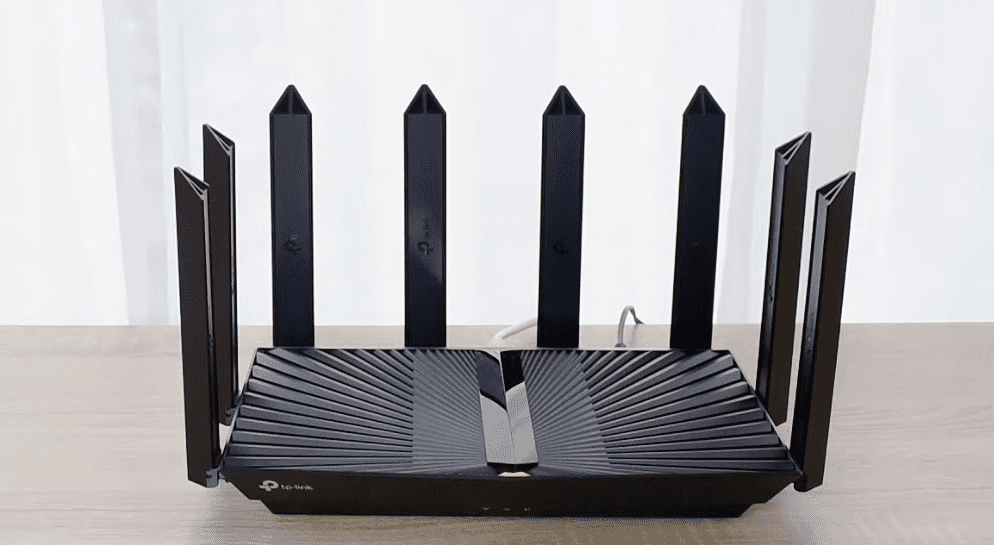
Are you looking for a top tri-band Wi-Fi 6 router that doesn’t compromise speeds, coverage, and other features? TP-Link’s Archer AX90 might end your wait here.
If you’ve been struggling to get strong connectivity in a 2,000-2,500 Sq Ft house, TP-Link AX6600, with a speed capacity of 6600 Mbps and a 2.5 Gbps WAN port, can handle multi-gig internet plans. It offers higher throughput and is also one of the best router choices to handle many devices.
But how it performs across all the parameters? Does it justify the weight of the heavy price tag? Find my honest opinions in the following review of the TP-Link AX6600.
TP-Link Archer AX90 Specs
Do you find the specs to be boring? Jump to the TP-Link Archer AX90 review.
TP-Link AX90 vs GX90: Key Differences
If you’re confused between the Archer AX90 and GX90, here are the differences:
TP-Link Archer AX90 Review
I had the privilege of hooking the Archer AX6600 to the Optimum 2 Gig Fiber connection. I set it up in my test center to handle heavy bandwidth requirements. I tested the device for over two weeks, observing its performance across multiple parameters. Here, I’ve categorized my thoughts in the subsequent sections.
1. Wireless Speeds & Suitability
The AX6600 tri-band WiFi 6 router brings a wealth of bandwidth, aggregating to 6.6 Gbps. Here’s how it splits into three bands:
| 5 GHz (1): 4804 Mbps | 5 GHz (2): 1201 Mbps | 2.4 GHz: 574 Mbps |
You can choose an internet plan of up to 2500 Mbps, depending on the number of devices and usage at your home. I chose to test it with a 2 Gbps Fiber connection from Optimum internet, and the speeds were impressive.
Within the same room as the router, the download speed soared at 1862 Mbps, while the upload speed hit 482 Mbps on the primary 5 GHz frequency. As I moved beyond several walls, the speeds dropped to 1580/325 Mbps.
The parking basement, which usually remains a problem zone with frequent drops, got over 110 Mbps in downloads and 70 Mbps in uploads. Rarest of times to witness that happen with a standalone router.
On the 2.4GHz, the downloads remained competitive at 544 Mbps and uploads at 89 Mbps. To my surprise, even at approximately 75 ft from the router, my Samsung S21 FE recorded 80 and 20 Mbps in downloads and uploads, respectively.
A true game-changer in terms of range and performance. The AX6600 tri-band WiFi 6 router pulled through 3 simultaneous 4K streaming sessions without a moment of weakness.
2. WiFi Coverage & Devices Capacity
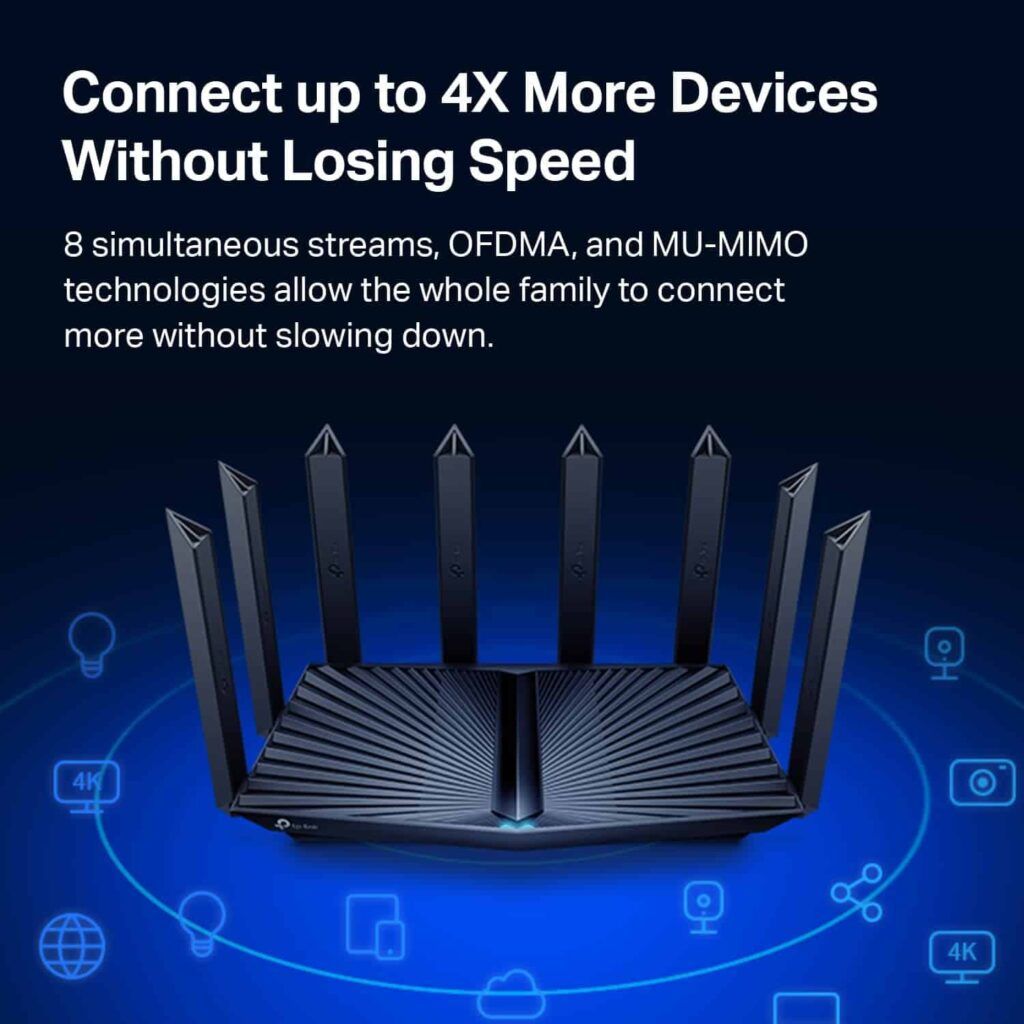
Eight high-performance beamforming external antennas are your answer to dead zones. Credit to those antennas, my entire 2,500 Sq Ft test lab, including the parking basement, had access to consistent WiFi signals.
With over 68 devices connected to my router, the credit goes to the OFDMA scheduling and MU-MIMO technology for ensuring the devices didn’t miss out on speeds. And the router can handle even more devices, with 128 being the maximum number for 5 GHz and 64 devices for the 2.4 GHz band.
3. Design & Wired Connectivity
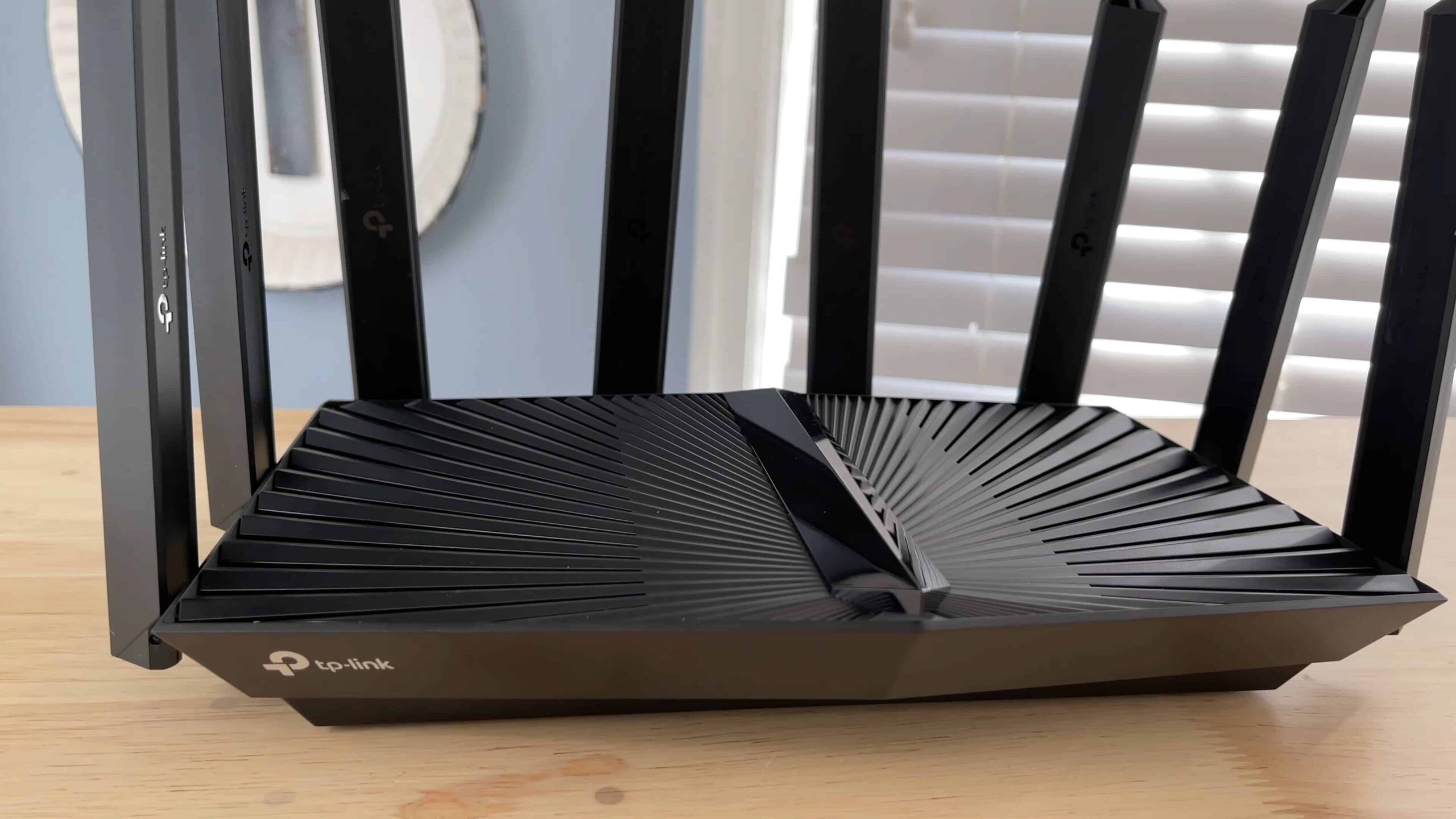
Sporting a shiny black body and groovy design, the Archer AX90 appears imposing with its eight huge antennas spread across three sides. It weighs 1.96 pounds and has dimensions of 10.91 x 7.32 x 2.16 inches. The bottom side of the device acts as an effective heat-dissipating unit.
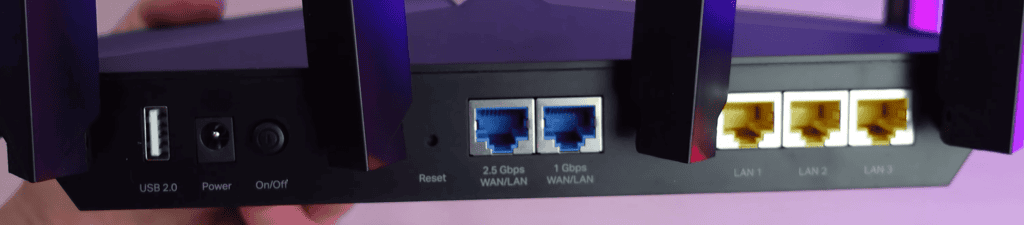
The 2.5 Gbps WAN port allows access to multi-gigabit wireless speeds, but the four ethernet ports max at 1 Gbps. Wired to my PC via an Ethernet cable, the Archer raked symmetrical downloads and uploads at 973 Mbps. The large footprint leaves adequate room for plugging cables in and out smoothly.
In addition to feature-rich Ethernet ports, the Archer AX90 is one of the few routers with faster USB ports, one being a USB 3.0 and the other a 2.0.
4. Security Features

While you will have access to WPA 3 encryption standards, guest network, basic website & content filters, and network scanning for free, the HomeShield Pro is a significant addition to IoT devices at home.
For $5.99 a month, you will have access to comprehensive parental controls, a plethora of statistics, protection from DDOS attacks, intrusions, and malicious content, along with frequent vulnerability assessments. Additional security can be paramount for smart homes in particular.
5. TP-Link Archer AX90 Setup
Like most TP-Link routers, you can use the web portal or the Tether mobile app to set up and manage the device. The simple yet intuitive interface of the Tether App makes the installation a breeze. I could get the running in less than 15 minutes.
With the tether App, you can have control of your internet even when you are away from home. Manage guest networks, control access to the internet, and enforce parental controls while you are on the move. A crucial set of controls will make a significant difference if you have kids and teens in your home.
6. Hardware & Other Features
Four powerful cores clocking at 1.5 GHz heat the device quickly, but the intelligent design allows proper ventilation, minimizing connection drops. 512MB RAM and 128MB storage, a crucial part of the equation in handling above 100 devices, accompany the Broadcom BCM6755 chipset.
What I Like & Dislike

Pros
- Tri-Band Wi-Fi 6
- 8 Beamforming antennas
- 2.5 Gbps multi-gig WAN port
- Extended wireless coverage
- Higher throughput
- It has basic security features

Cons
- No port aggregation
- Large footprint
Frequently Asked Questions
What is the range of the TP-Link Archer AX90?
The Archer AX90 has eight high-performance antennas covering up to 3000 square feet. If you get the placement right, it can easily cover large homes with 4-5 rooms.
Is AX6600 good for gaming?
Even without the dedicated gaming features, the router packs enough processing power and the capacity to support multiplayer gaming.
How fast is AX6600?
The Archer AX90 can support multi-gigabit connections, but the wired connections top out at 1 gigabit. With a 2 Gigabit connection, the wireless speeds can soar well above 1800 Mbps, aggregating to 4.8 Gbps on the primary 5GHz band.
What is the Archer AX90 release date?
TP-Link announced the release of the Archer AX90 at the beginning of 2020. It was only available after January 2021 because of some delays in the release.
Verdict
The powerful antennas can be dead-zone killers, and it has never been truer than it is with the Archer AX90. Backed by a robust hardware unit, the TP-Link router delivers a performance that makes it a great value addition despite the big price tag. A must-buy for large households and smart homes.