Spectrum Remote Codes: Complete List & Setup Guide


Are you programming a Spectrum remote? In search of 3-5 digit remote codes that work with your TV? You’re in the right place. This article consists of a comprehensive list as well as setup instructions to make things easier.
So, without further delay, let’s get into it.
Note: For easy navigation, I’ve sorted the TV brands in alphabetical order. You may also use the search box below for a quick find.
How To Set Up Spectrum Remote?
Now that you have a list of Spectrum TV remote codes, it’s time to program it. Follow the below simple steps:
Step 1: Prepare the Remote
- Put two AA batteries in your remote.
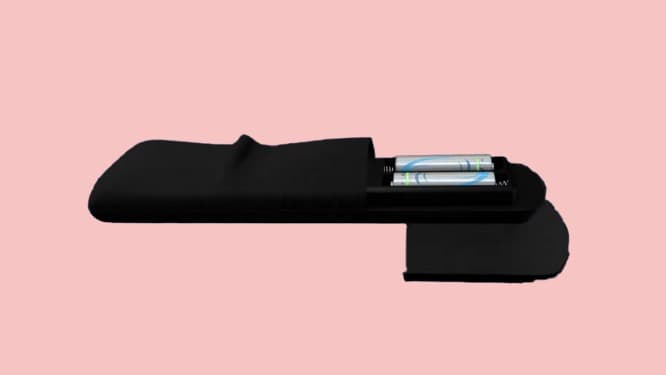
- Make sure your remote is at an optimal distance from your TV.
👉 Related reading: GE Universal Remote Codes for Samsung TVs
Step 2: Identify Your Remote’s Model
- The model number should be imprinted on the rear side of the battery compartment.
- Then find your TV manufacturer in the list above.
Step 3: Program The Remote
- Turn your TV on to start the process.
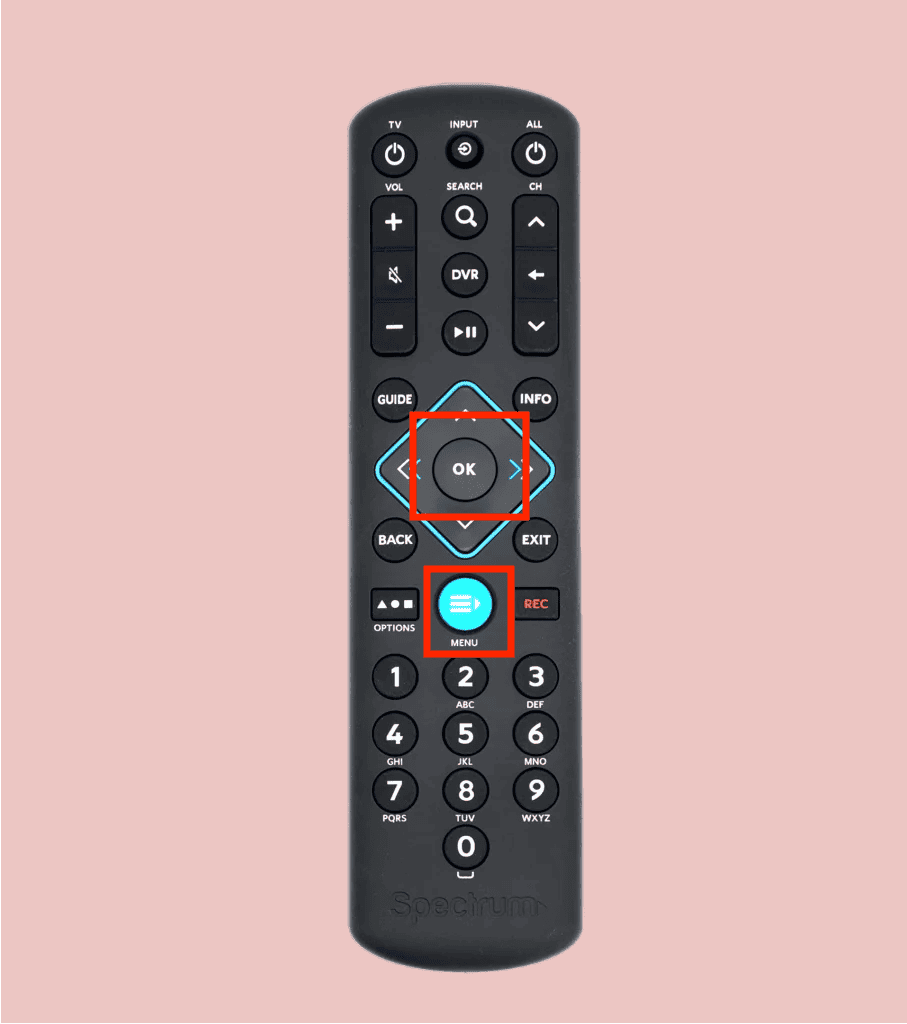
- Simultaneously press and hold the Menu + Ok buttons until the input button on the top blinks twice.
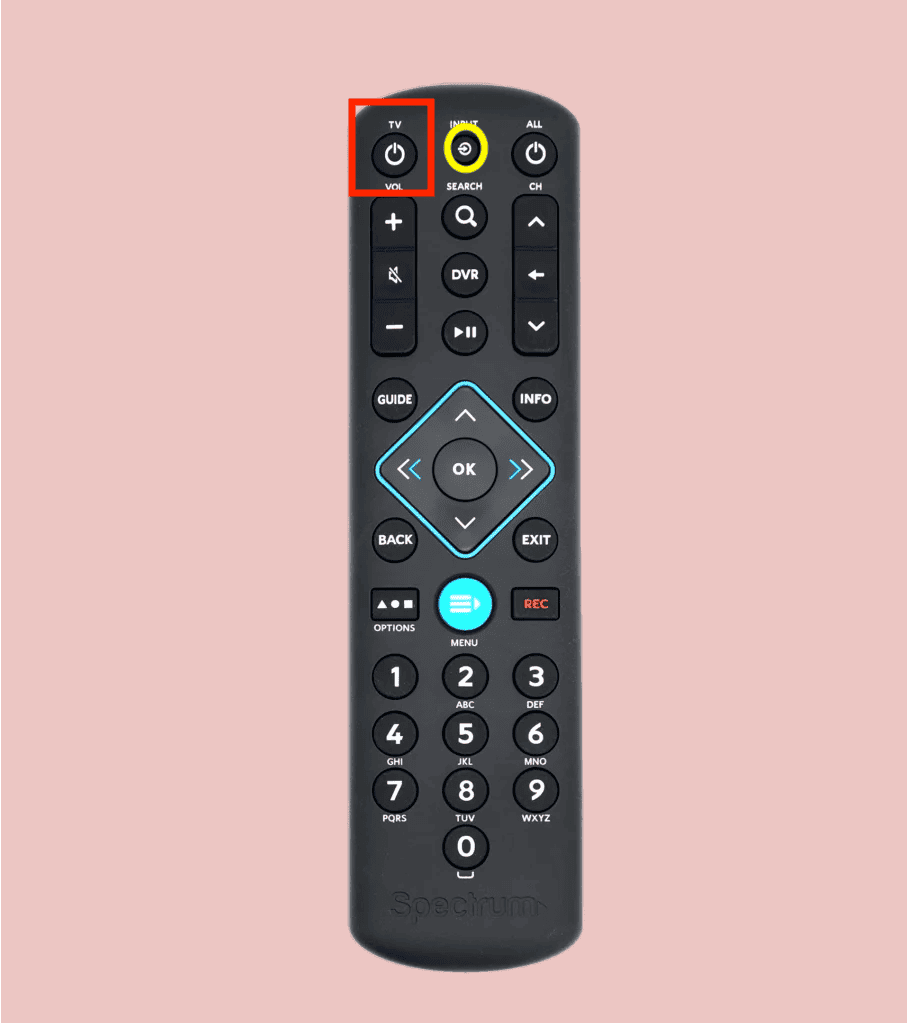
- Then press the TV power key once. The input button should turn solid.
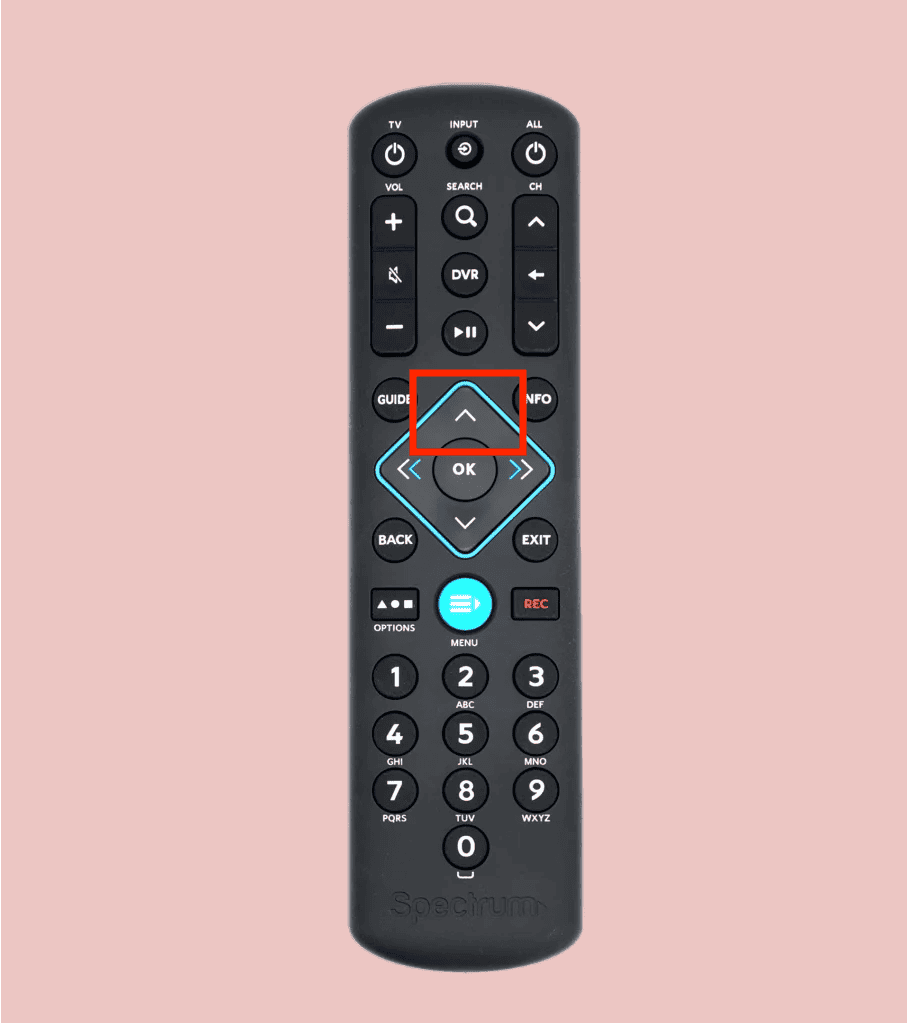
- Point the remote control at your TV, press and hold the UP arrow.
- As soon as the TV turns off, press and hold the number your TV manufacturer corresponds to. Mine was 8.
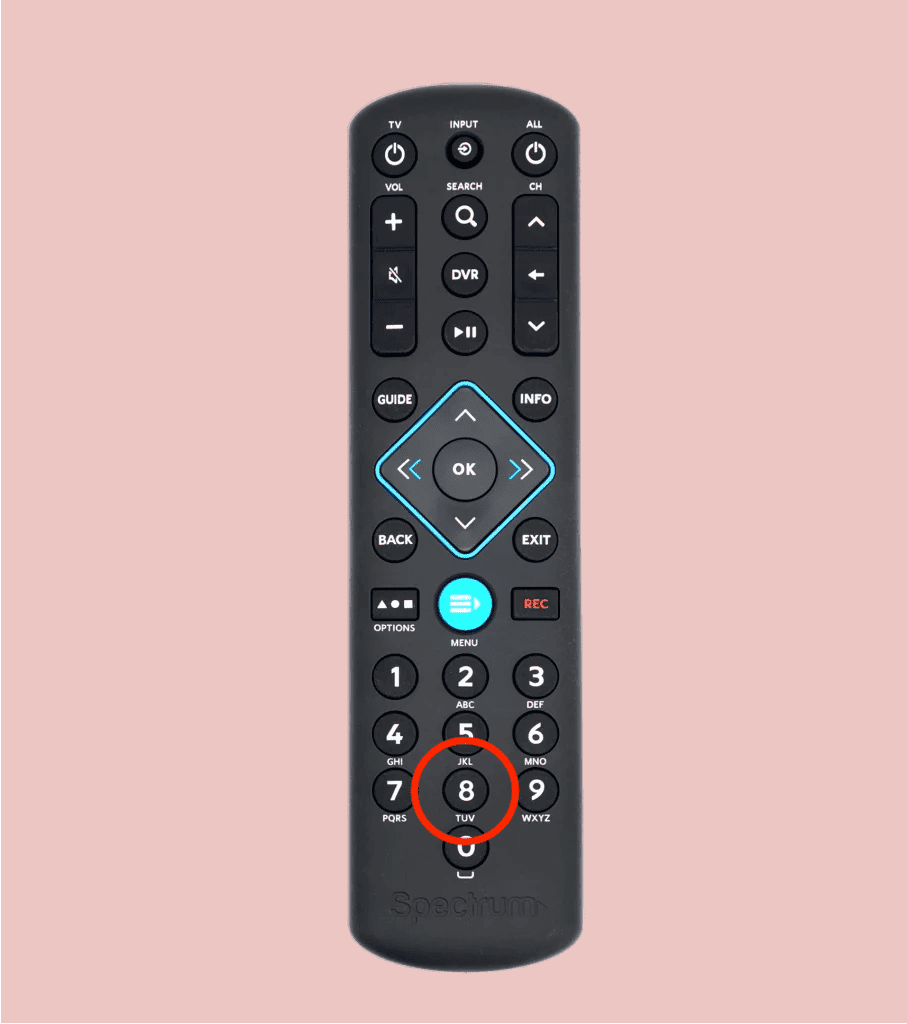
- The remote setup is now complete.
Additional Steps:
- If the abovementioned process doesn’t work, re-press and hold the Menu + OK button. The input button will blink twice.
- Then enter the first code listed for your TV manufacturer from the official portal or the list above. The input button should blink twice.
- If not, try pressing each of the codes mentioned until the setup is complete.
- However, if nothing works, you must reset the Spectrum remote.
👉 Related reading: Universal Remote Codes for Hisense TVs
Frequently Asked Questions
Can I program Spectrum remote to Roku?
Yes. Roku TVs are programmable by the Spectrum remote. You must use various codes provided by the manufacturer to use the TV accordingly.
Why is my TV not responding to the remote code?
A few of the common reasons for Spectrum remote not working might be pairing issues, battery issues, or infrared sensor issues. Try replacing your battery first. If it doesn’t work, try following the setup process from the start or calling Spectrum customer support.
Can you program any remote to any TV?
Not any remote, but with the use of Spectrum universal remote, you can operate any TV brand around the world. You can get a remote from the TV manufacturer itself, but replacing it when broken can be expensive and unnecessary.
Conclusion
Using a Spectrum remote control with your TV is not at all demanding and yields you a way loads of convenience. But if you are stuck at any time, you can always connect with customer support and get your way.
I hope you find the article helpful and informative enough to understand how the codes work!